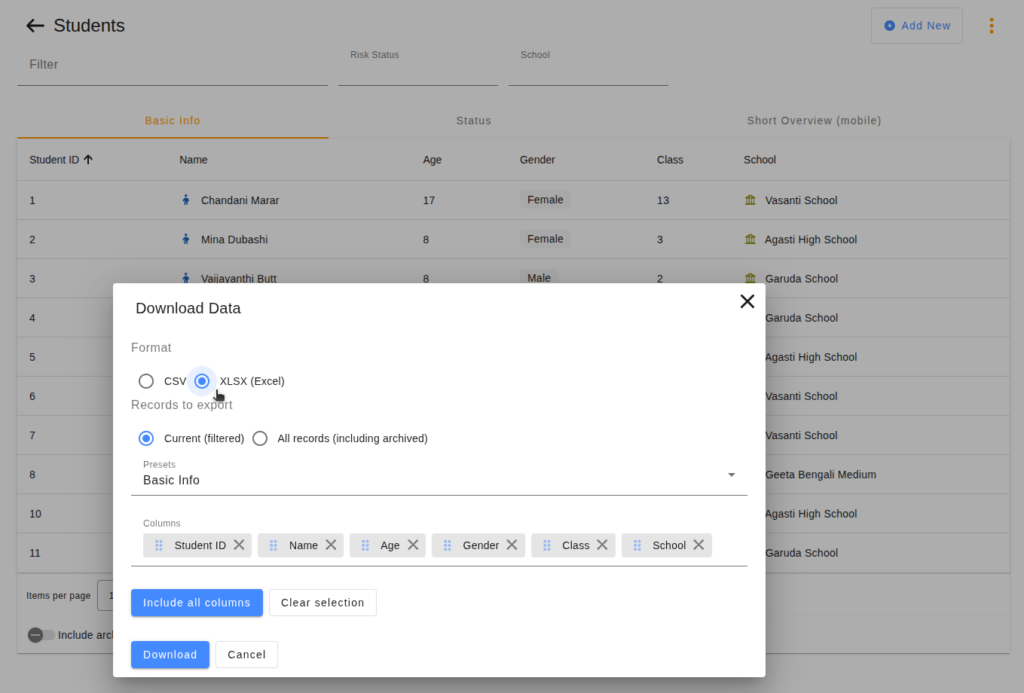

Aam Digital’s case management platform is designed to manage data through its own interface, but many teams also need to move data in and out – importing records from a previous system, sharing exports with partners, or updating information collected outside the platform. For this, Aam Digital supports importing and exporting data as spreadsheet files. Until now, this required working with CSV format, which can create friction for teams whose day-to-day tool is Microsoft Excel: an extra step to save the file in the right format, or unexpected results when opening a CSV in Excel.
You can now import and export data directly in Excel format (.xlsx). This means that when you export a list of participants or program records, the file opens straight away in Excel without any conversion. And when you want to import data – for example to update existing records or bring in information collected with another tool – you can prepare that spreadsheet in Excel and upload it directly into Aam Digital. For teams who already use Excel to prepare or review data, this removes a step that was easy to overlook but easy to get wrong. Now, the workflow is more direct.
Read more in the Aam Digital Support Center: Importing data from a spreadsheet.