
Keeping track of communication is one of the most important parts of case management – and one of the most time-consuming. Sending an e-mail to a participant or partner usually means switching to your inbox, looking up the address, writing the message, and then going back into your case system to note down that you sent it. Each step is small, but together they add up.
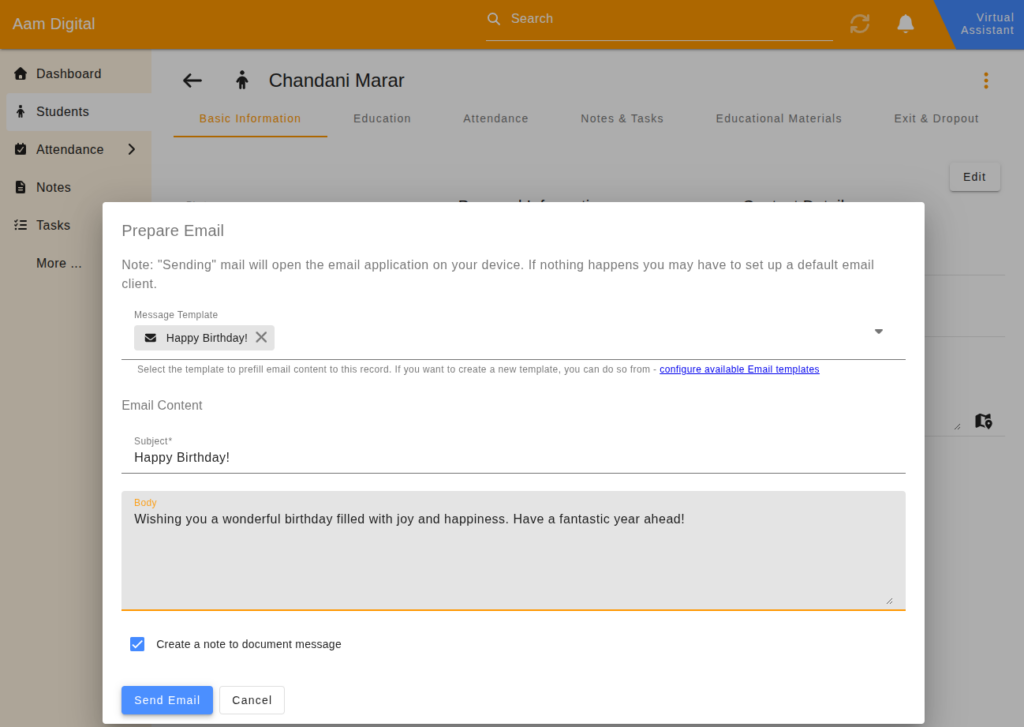
With the new Mail Feature, Aam Digital now lets you send e-mails to participants or partners directly from a record – without leaving the system. Open any record that has an e-mail address, click “Send Mail”, and Aam Digital opens a pre-filled draft in your local e-mail client (such as Outlook or Thunderbird), with the recipient, subject and message already in place. You can still review and adjust the text before sending, using your usual mail server and signature.
To save even more time, you can create and manage reusable e-mail templates in Aam Digital and link them to specific record types – so your whole team is always working from the same approved messages. The feature also supports bulk sending directly from any list view, making it easy to reach multiple people at once.
And if you want to document that the communication happened, Aam Digital can automatically create a linked note in the case, pre-filled with the subject and message body. Your team always knows what was sent, to whom, and when – without any extra steps.
Read more about this in the Aam Digital Support Center: Send e-mail and use mail templates